Crafting effective prompts
By mastering the language of prompts, you're not just getting code faster. You're leveraging a powerful partner to solve bigger problems, innovate more quickly, and deliver more value on the ServiceNow platform than ever before.
Overview
- Imagine standing before a vast, intricate machine—one that can automate, analyze, and even write code for you. But this machine, like the earliest computers, only does exactly what you ask.
- The question is: How do you ask well?
- In the age of AI, the prompt is your lever, your spell, your handshake with intelligence.
- Think of a prompt not as a command, but as the start of a conversation with a brilliant, eager, but extremely literal-minded assistant.
- This guide, designed for you - the ServiceNow developer - will turn you into a master conversationalist.
- We’ll move beyond simple questions and learn to craft prompts that deliver precise, powerful, and production-ready results, boosting your productivity and transforming how you build on the Now Platform.
- We encourage you to use this guide as a starting point. Think of it as template rather than strict formula.
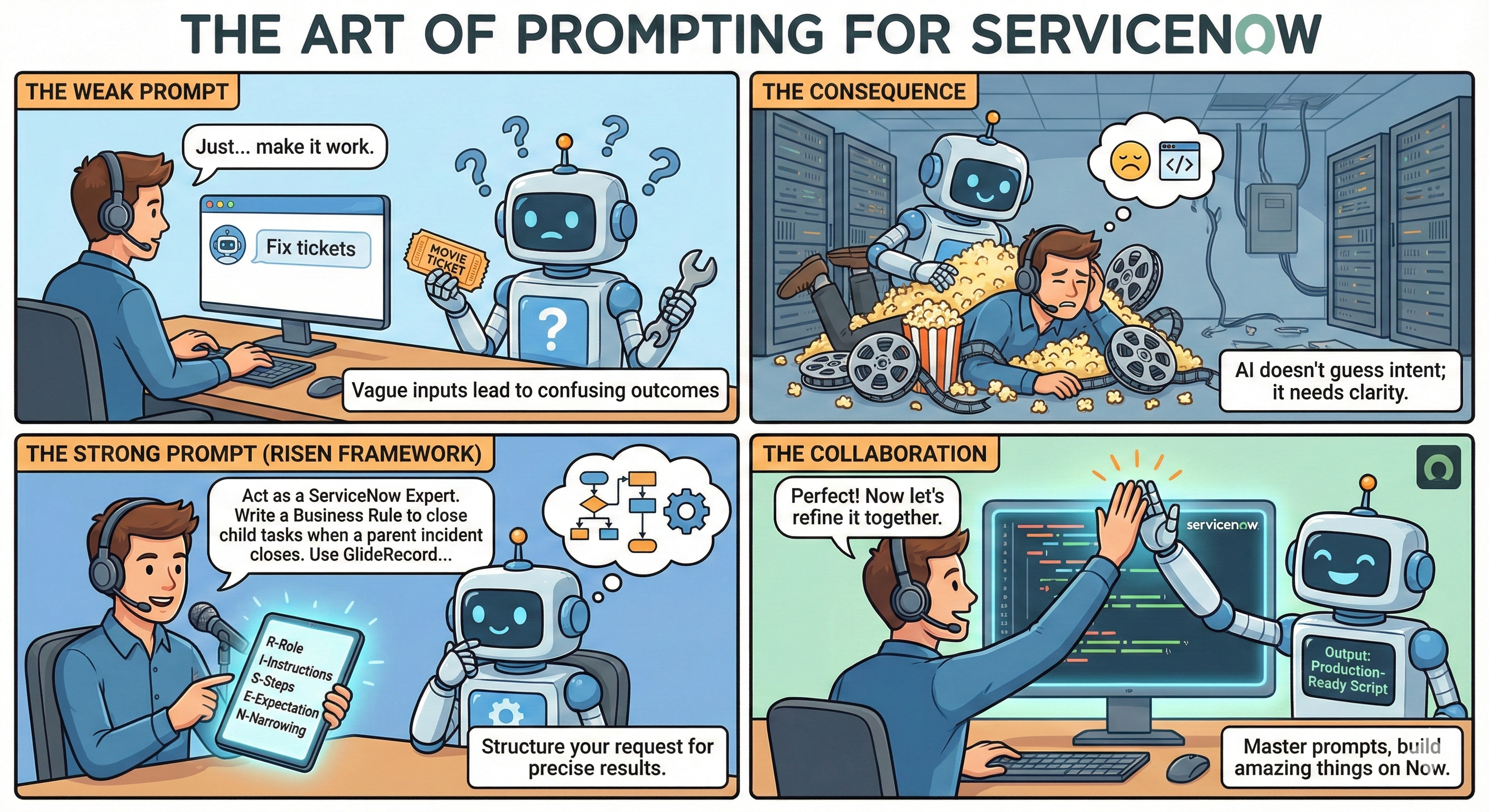
The Art of Turning Words into Action
- Early programmers wrote instructions for machines using punch cards—literal holes in paper. Each card had to be precise; a misplaced hole meant disaster.
- As computers evolved, so did our language for them.
- Today, with AI models like GitHub Copilot, we speak in natural language—but the need for clarity remains.
What is a Prompt?
- A prompt is the input - question, statement, or instruction - that guides the AI’s response.
- For instance: In text-based AI models like ChatGPT, a prompt could be a question like, “What is the capital of France?” or a more complex instruction such as, “Write a short story about a detective solving a mystery in a futuristic city.”
- A ServiceNow example in the AI model like GitHub Copilot could be like, “Write a Business Rule to close all child Task records when the parent Task is closed.”
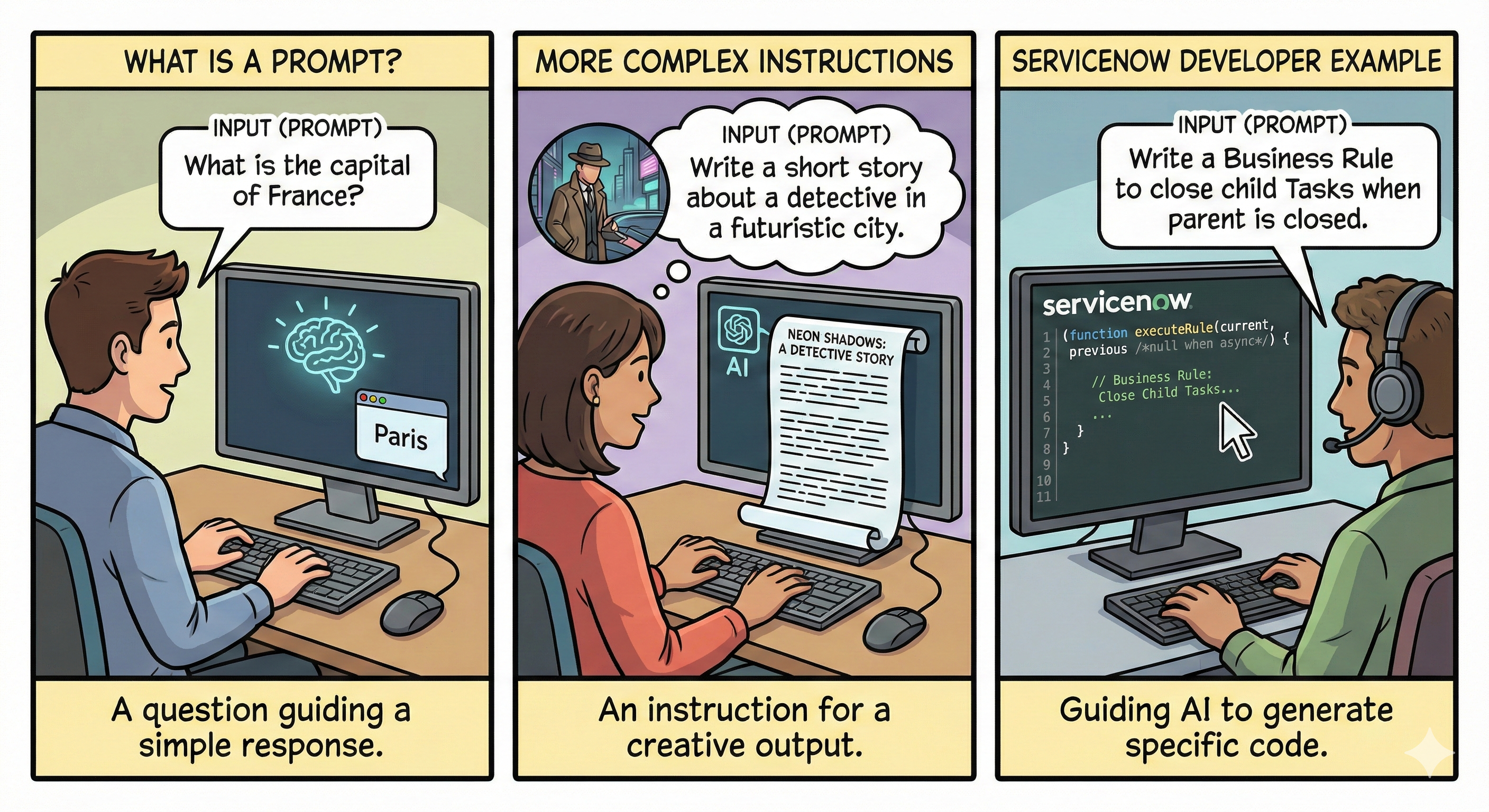
The Art of Prompt Engineering
- Have you ever asked a question and received an answer that was technically correct but utterly useless? We’ve all been there.
- Artificial Intelligence holds immense power, but the key to unlocking it lies in a new kind of literacy: the art of the prompt.
- The quality of your prompt directly shapes the output. Like a well-written requirement, a good prompt saves time, reduces errors, and gets you closer to your goal.
- The quality, clarity, and specificity of the prompt directly influence the quality of the AI’s response. The better and clearer the prompt, the more relevant and accurate the AI’s output will be.
- In essence, a prompt serves as the guiding instruction that steers the AI towards generating the desired output.
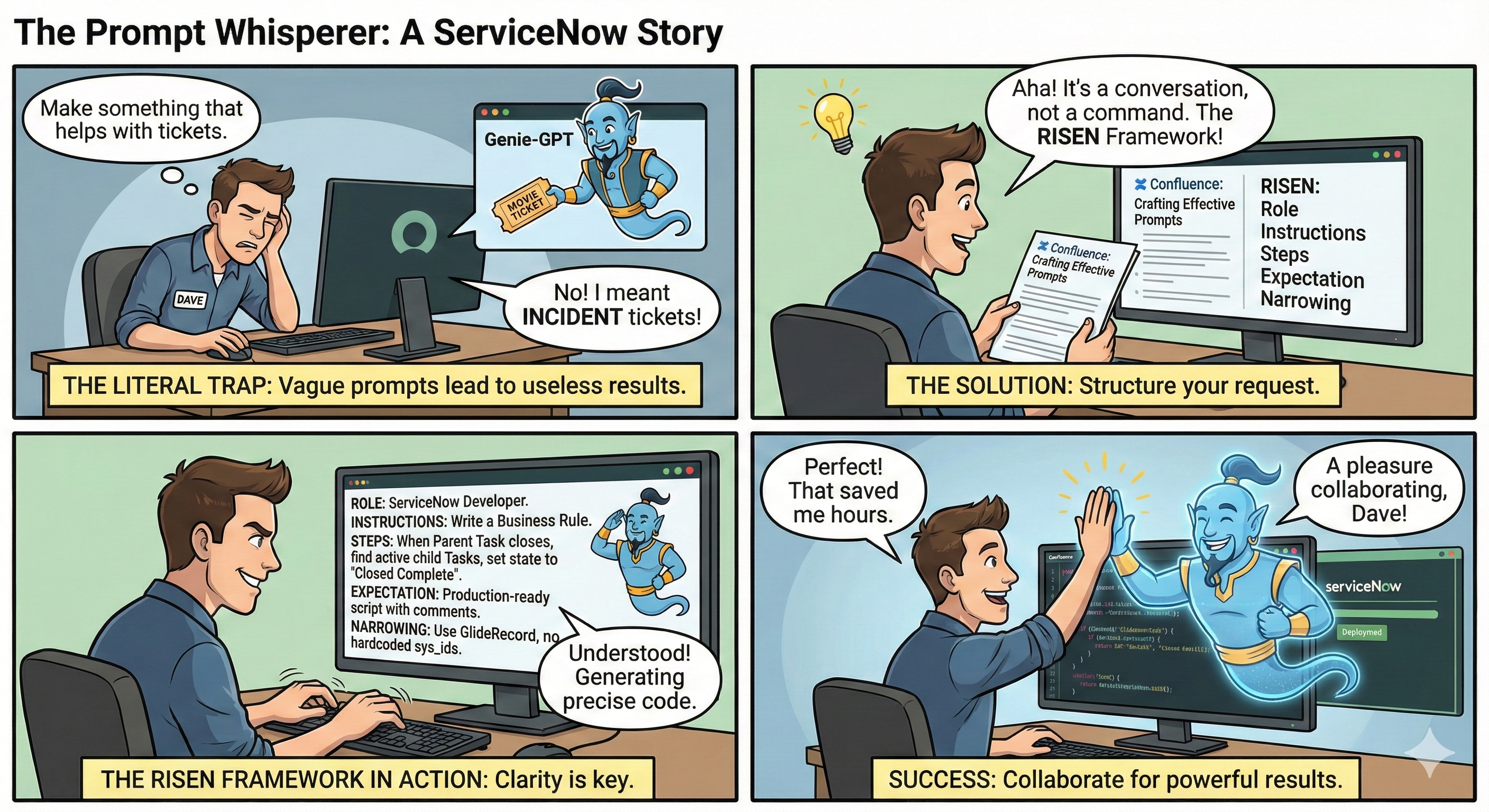
Explore. Experiment. Create.
- AI prompts will always generate a result—but not always the same one. Even identical prompts can yield different outcomes. That’s part of the creative process.
- Not every project requires every element of a detailed prompt.
- AI Agents will only responds to what you type - not what you assume.
- The best way to learn is through experimentation—try different approaches, refine your inputs, and see what works best for your unique goals.
- As ServiceNow developers, you have the power to turn words into action, automate the tedious, and unlock new productivity. So, experiment, refine, and let your prompts become the bridge between your ideas and the AI’s capabilities.
Why Prompts Succeed or Fail?
- It’s tempting to assume the AI “knows what you mean.” But, like a new developer on your team, it only knows what you tell it.
- Vague prompts lead to wrong assumptions, missing logic, and wasted cycles.
- In ServiceNow, think of it as the difference between telling a developer, “Fix the system,” and saying, “Write a Business Rule to close all child Task records when the parent Task is closed.” The former is vague; the latter is actionable.
Let’s walk through some ServiceNow scenarios to understand this better:
Use Case: Assigning Incidents
- Weak Prompt: “Make something that helps with tickets.”
What’s missing? No system, no audience, no specifics.
- Strong Prompt: “Create a ServiceNow script to assign incidents with the Configuration Item ‘SnagIt 7’ and Category ‘Software’ to the SnagIt Support group, and all other ‘Software’ incidents to the Software Support group.”
Why better?: Clear context, specific conditions, actionable output.
Use Case: Deactivating Inactive Users
- Weak Prompt: “Write a script to deactivate the users.”
What kind of users? What system? What data?
- Strong Prompt: “Write a server-side Scheduled Script Execution in ServiceNow that finds all active users who haven’t logged in for over 90 days, sets their active flag to false, and logs the user ID and last login date.”
Why better?: Defines system, action, criteria, and output.
Use Case: Closing Child Tasks
Weak Prompt: “Close child records when the process ends”
Why it’s weak:
- This is dangerously ambiguous. What “process”? Which “child records”? The AI is forced to guess, and it will likely guess wrong.
Strong Prompt: “When a parent Task record’s state changes to ‘Closed’, write a business rule to find all its active child Task records and set their state to ‘Closed Complete’.”
Why it’s strong:
- Context: It specifies the table (Task) and the trigger (state changes to ‘Closed’).
- Clarity: It defines both the parent and child records clearly.
- Action: The desired outcome (set their state to ‘Closed Complete’) is explicit.
Use Case: Getting a Count of Incidents
Weak Prompt: “Count P1 incidents between 3-3 and 4-13”
Why it’s weak:
- It lacks vital context. Who are they assigned to? What API should be used? This might produce a script, but it won’t be optimized or specific.
Strong Prompt: “Using GlideAggregate, write a script to count the number of ‘Priority 1’ incidents that were closed between March 3rd and April 13th of this year, and were assigned to ‘Admin’.”
Why it’s strong:
- Uses API Name: Specifies GlideAggregate for an efficient query.
- Defines Conditions: Provides a clear date range, a specific state (closed), and an assignment condition.
Use Case: Protecting Sensitive Data
Weak Prompt: “Replace social security numbers with #”
Why it’s weak:
- Where should the AI look? Which fields? This could lead to a script that inefficiently scans the entire database or misses the data entirely.
Strong Prompt: “For the current record on the Incident table, write a script that checks the ‘short_description’ and ‘description’ fields for a Social Security Number (SSN) pattern. If found, replace the SSN with ‘###-##-####’.”
Why it’s strong:
- Scoped: It targets specific fields (short_description and description) on a specific record.
- Actionable: It provides the exact replacement action.
Framework for Crafting Effective Prompts
- So, how do we craft the effective prompt?
- While you can just throw a question at the AI, a little structure goes a long way.
- One of the most effective methods for crafting the effective prompts is the RISEN framework. It’s a simple, memorable recipe for giving the AI everything it needs to give you exactly what you want.
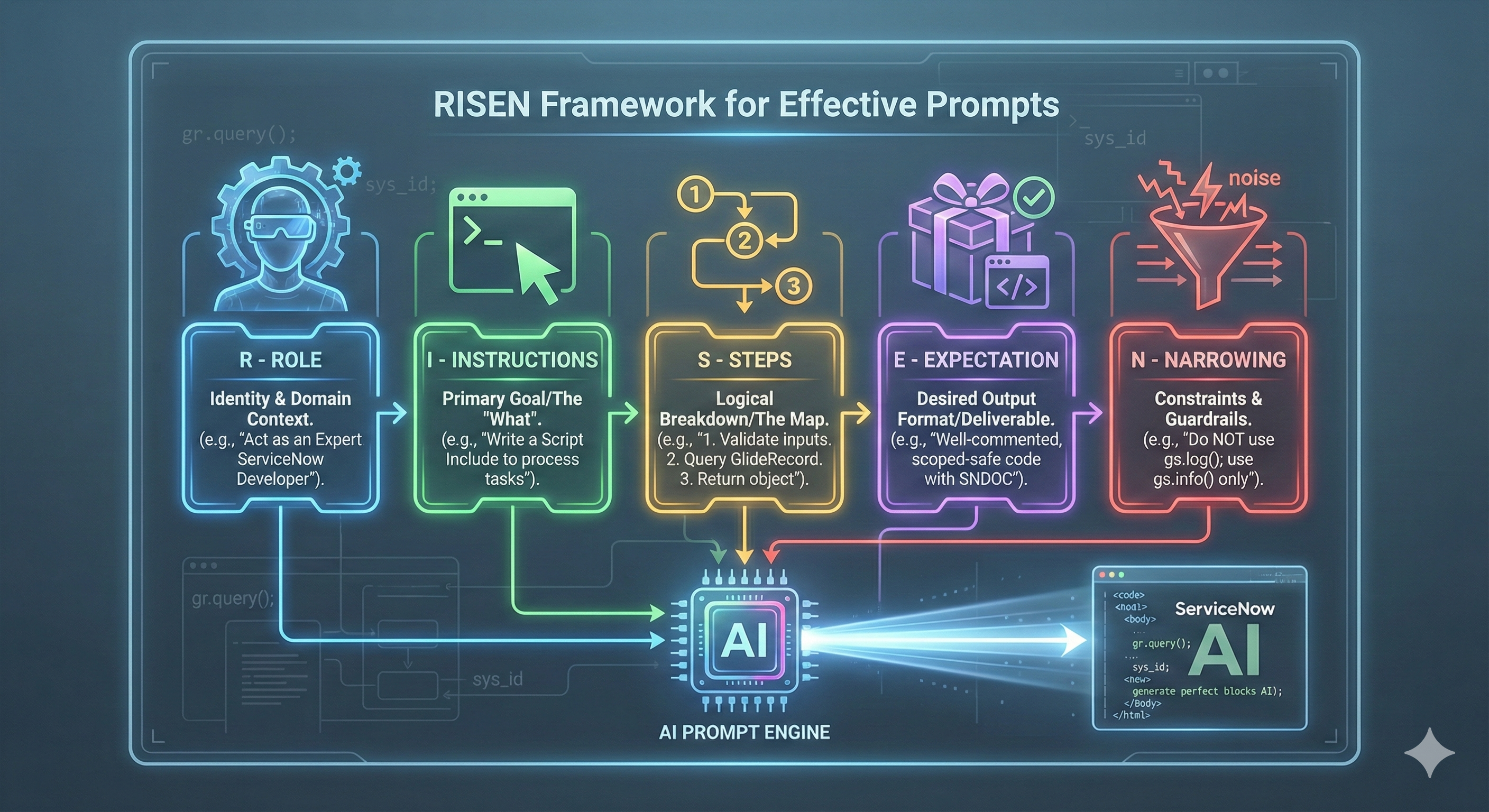
The RISEN Framework
The RISEN framework (Role, Instructions, Steps, Expectation, Narrowing) is a powerful prompt pattern that creates clarity through structured thinking.
Let’s break it down:
R - Role
- Tell the AI who it should be.
- This is your first and most powerful lever.
- Without a role, the AI is just a generalist.
- By assigning one, you anchor its vast knowledge to a specific domain.
Example: “Act as an expert ServiceNow developer with 10 years of experience in platform performance optimization.”
I - Instructions
- This is the what.
- State your primary goal clearly and directly.
- Use assertive language.
Example: “Write a Script Include that provides a function to…”
S - Steps
- Don’t just state the destination; provide a map.
- Break down the task into logical steps.
- This guides the AI’s “thinking” process and prevents it from taking logical shortcuts.
Example: “1. Create a function that accepts a user’s Sys ID. 2. Query the Incident table. 3. Return a count of active incidents for that user.”
E - Expectation (or End Goal)
- Describe what the perfect output looks like.
- What format should it be in? Should it include comments?
- This is where you define the “deliverable.”
Example: “The output should be a single, well-commented Script Include. Ensure the code adheres to ServiceNow best practices and includes a clear function header explaining its purpose, parameters, and return value.”
N - Narrowing
- Apply constraints.
- This is where you refine the request, filter out noise, and focus the AI on what truly matters.
Example: “Do not use gs.log(); use gs.info() for logging. The script must be runnable in a scoped application.”
Example
Role:Act as an expert ServiceNow developer with 10+ years of experience, familiar with Scoped Apps, GlideRecord performance, SNDOC, SOLID principles, and ServiceNow best practices.

Instructions:Write a single Script Include named TaskUtils with a public method closeChildTasks(parentSysId, options) that:
- Validates input.
- Finds active child task records for the provided parent sys_id.
- Sets their state to "Closed Complete" (resolve numeric value via sys_choice lookup).
- Uses safe update patterns and returns a standardized response object.
- Include SNDOC for the class and public method, examples, and inline rationale comments.
- Use gs.info() for operational logs (not gs.log()), and include error handling.
- Keep code scoped-app friendly (no implicit global writes) and avoid hard-coded sys_ids.
- Extract helper methods to keep all functions ≤50 lines.
- Wrap platform APIs (GlideRecord, GlideDateTime, gs.*) in private methods for testability.

Steps (explicit):
1. Validate parentSysId and options.
2. Resolve the numeric state value for label Closed Complete (fallback to configurable default).
3. Query the task table for children where parent=parentSysId and active=true.
4. Iterate and update each child safely (turn off workflow if specified in options), increment counters.
5. Return { success, value: { updatedCount }, operation, timestamp } or a clear error object.

Expectation:
- Output is a single, well-documented Script Include class that can be pasted into a Script Include record and invoked from Business Rules, Scheduled Jobs, or background scripts.
- Method is synchronous, safe, and includes example usage in SNDOC.
- All functions are ≤50 lines (extract helpers if needed).
- All SNDOC @ tags have zero leading spaces.

Narrowing / Constraints:
- Do not hardcode table-specific numeric constants; resolve via sys_choice.
- Use setWorkflow(false) only when options.skipWorkflow === true.
- SNDOC formatting: All @ tags must have exactly zero indentation (no leading spaces).
- Line length limit: All functions must be ≤50 lines (extract private helpers if needed).
- Platform API wrappers: Wrap ServiceNow APIs (GlideRecord, GlideDateTime, gs.*) in private methods for ATF testability.
Common Pitfalls (and How to Sidestep Them)
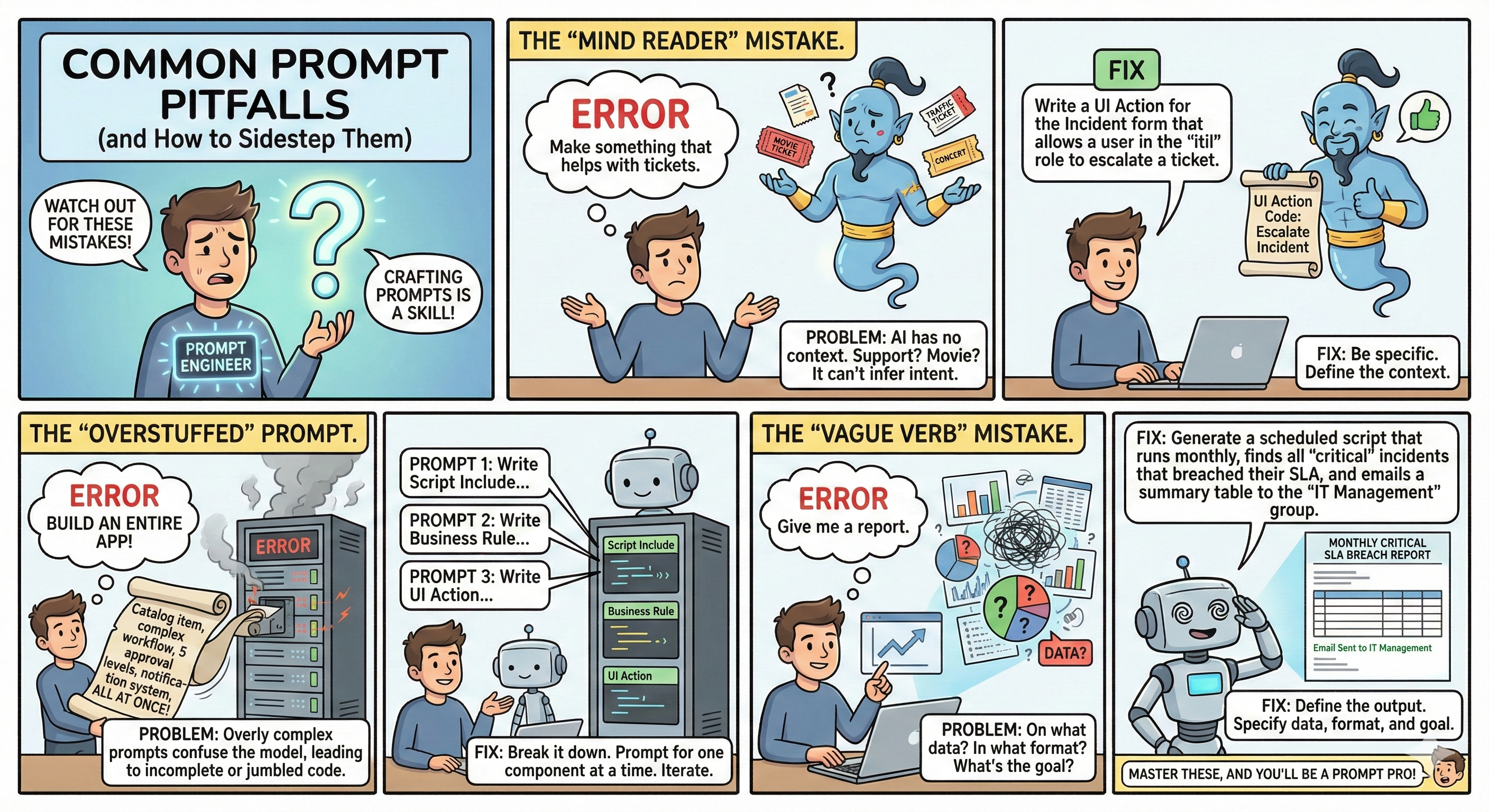
Crafting prompts is a skill, and like any skill, there are common mistakes.
Here are a few to watch out for:
The “Mind Reader” Mistake
- The Error: “Make something that helps with tickets.”
- The Problem: The AI has no context. Support tickets? Movie tickets? It can’t infer your intent.
- The Fix: Be specific. “Write a UI Action for the Incident form that allows a user in the ‘itil’ role to escalate a ticket.”
The “Overstuffed” Prompt
- The Error: Writing a single prompt that asks the AI to build an entire application, including a catalog item, a complex workflow with multiple approval levels, and a notification system, all at once.
- The Problem: Overly complex prompts confuse the model, leading to incomplete or jumbled code.
- The Fix: Break it down. Prompt for one component at a time. Start with the Script Include, then the Business Rule, then the UI Action. Think iteratively.
The “Vague Verb” Mistake
- The Error: “Give me a report.”
- The Problem: On what data? In what format (email, dashboard, CSV)? What’s the goal of the report?
- The Fix: Define the output. “Generate a scheduled script that runs monthly, finds all ‘critical’ incidents that breached their SLA, and emails a summary table to the ‘IT Management’ group.”
Don’t just automate - collaborate!
- Prompting is not a dark art; it’s a conversation. The more clarity, context, and structure you provide, the better your results will be.
- Treat it as an iterative process: start simple, refine your request, and build on the AI’s output.
- By mastering the language of prompts, you’re not just getting code faster. You’re leveraging a powerful partner to solve bigger problems, innovate more quickly, and deliver more value on the ServiceNow platform than ever before.
Now, go build something amazing.